Warning: Undefined array key "path" in /www/wwwroot/binbinbijissss/wp-content/plugins/wp-chinese-conversion/wp-chinese-conversion.php on line 633
阿里雲RDS提示Specified key was too long; max key length is 767 bytes怎麼解決_彬彬筆記

阿里雲RDS提示Specified key was too long; max key length is 767 bytes怎麼解決

今天使用RDS,修改數據庫列名長度的時候提示Specified key was too long; max key length is 767 bytes

下面附上解決辦法

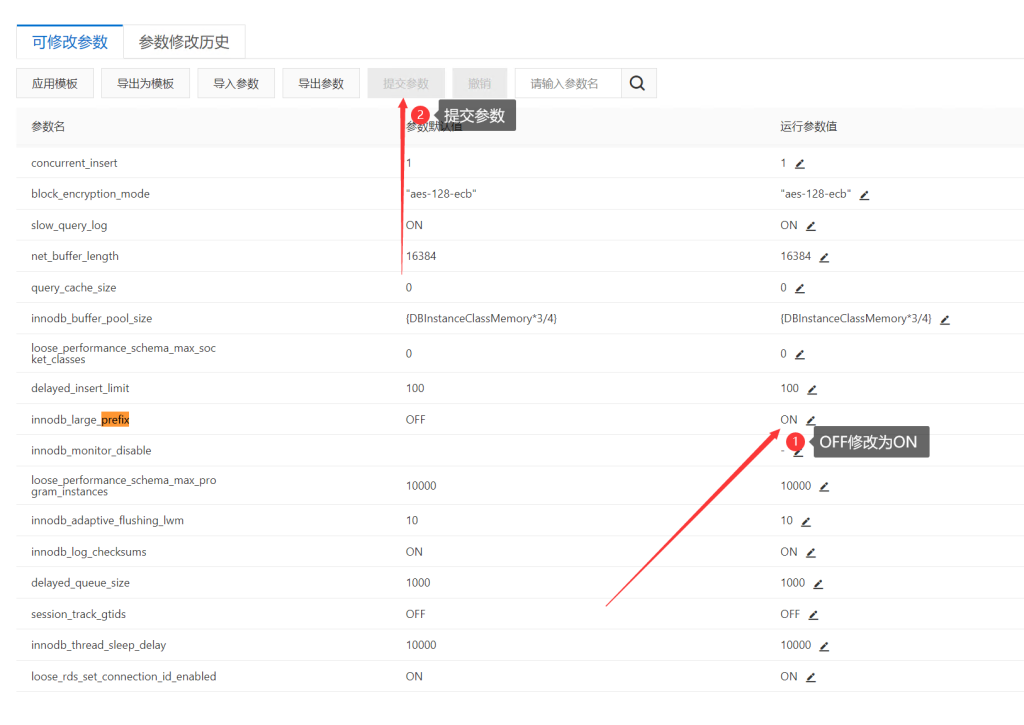
1、首先進入阿里雲RDS後台,然後點擊參數設置
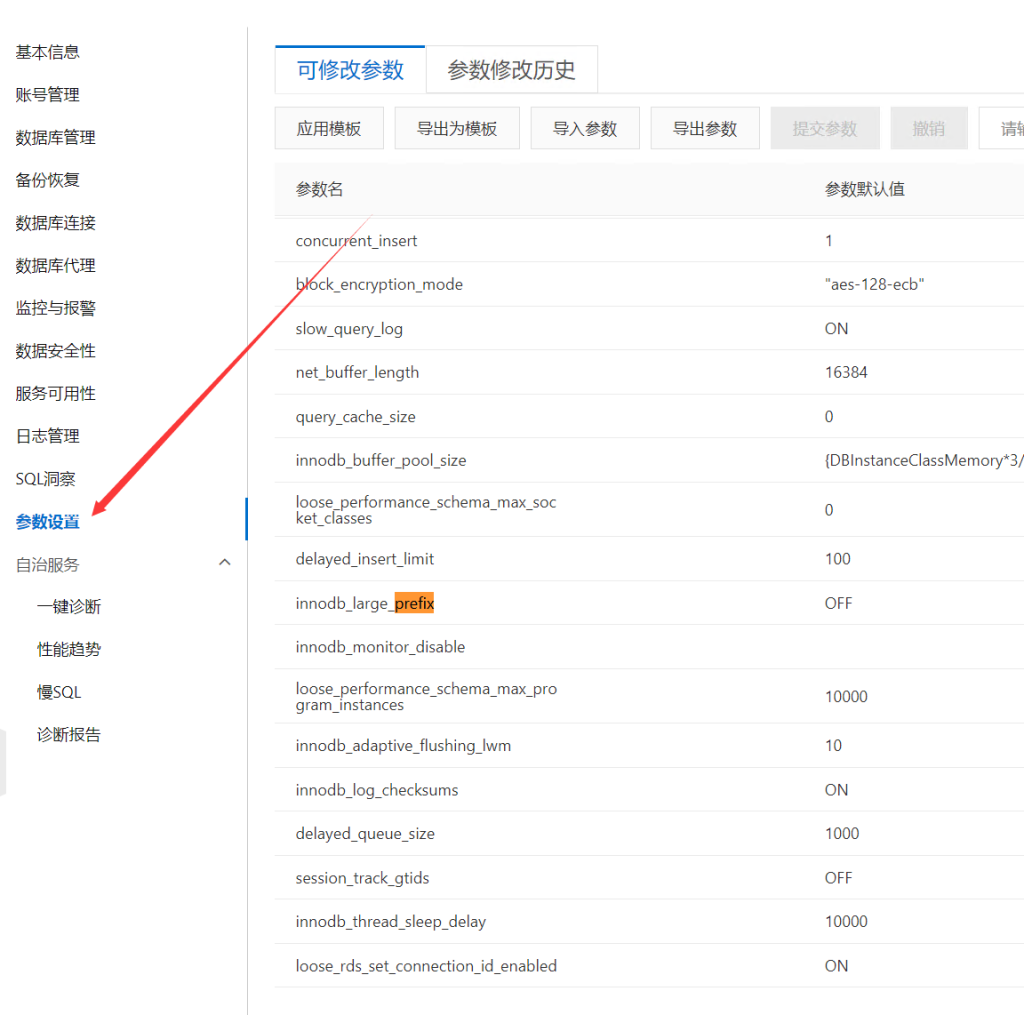
阿里雲RDS提示Specified key was too long; max key length is 767 bytes怎麼解決

2、搜索框中搜索prefix,找到唯一的一個innodb_large_prefix
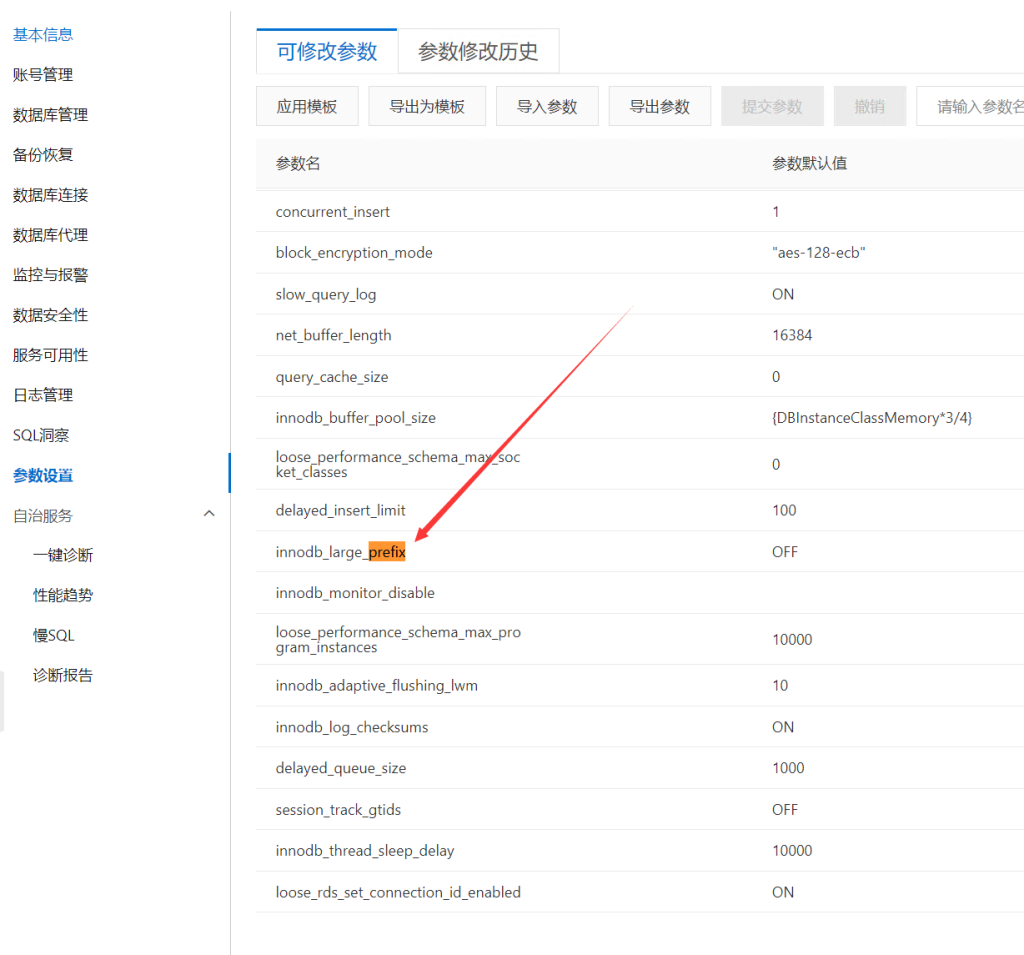
阿里雲RDS提示Specified key was too long; max key length is 767 bytes怎麼解決

3、將參數裡面的OFF修改為ON,並提交參數

阿里雲RDS提示Specified key was too long; max key length is 767 bytes怎麼解決

4、最後再進行修改列名長度,一切OK

到此為止。

發布者:彬彬筆記,轉載請註明出處:https://www.binbinbiji.com/zh-hant/jianzhanjiaoliu/2688.html

贊 (1)
彬彬筆記彬彬筆記
阿里雲Alibaba Cloud Linux使用關關採集器,centos8怎麼安裝使用關關採集器
上一篇 2022年7月7日 22:02
通過數據庫網關DG(Database Gateway)將本地或第三方雲的數據庫接入至阿里雲
下一篇 2022年7月16日 22:03

相關推薦

發表回復

登錄後才能評論
蜀ICP備14017386號-13